

Mobile app development for iOS and Android.
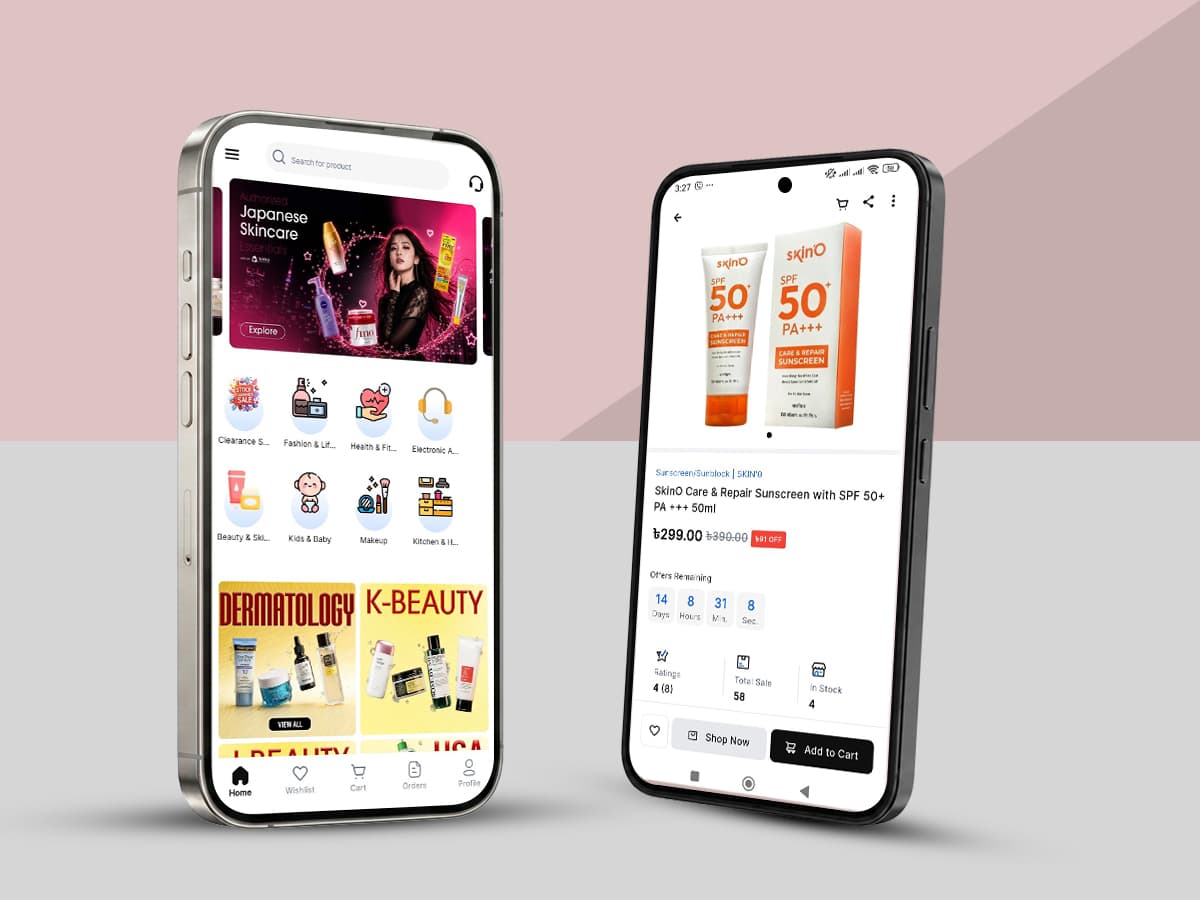
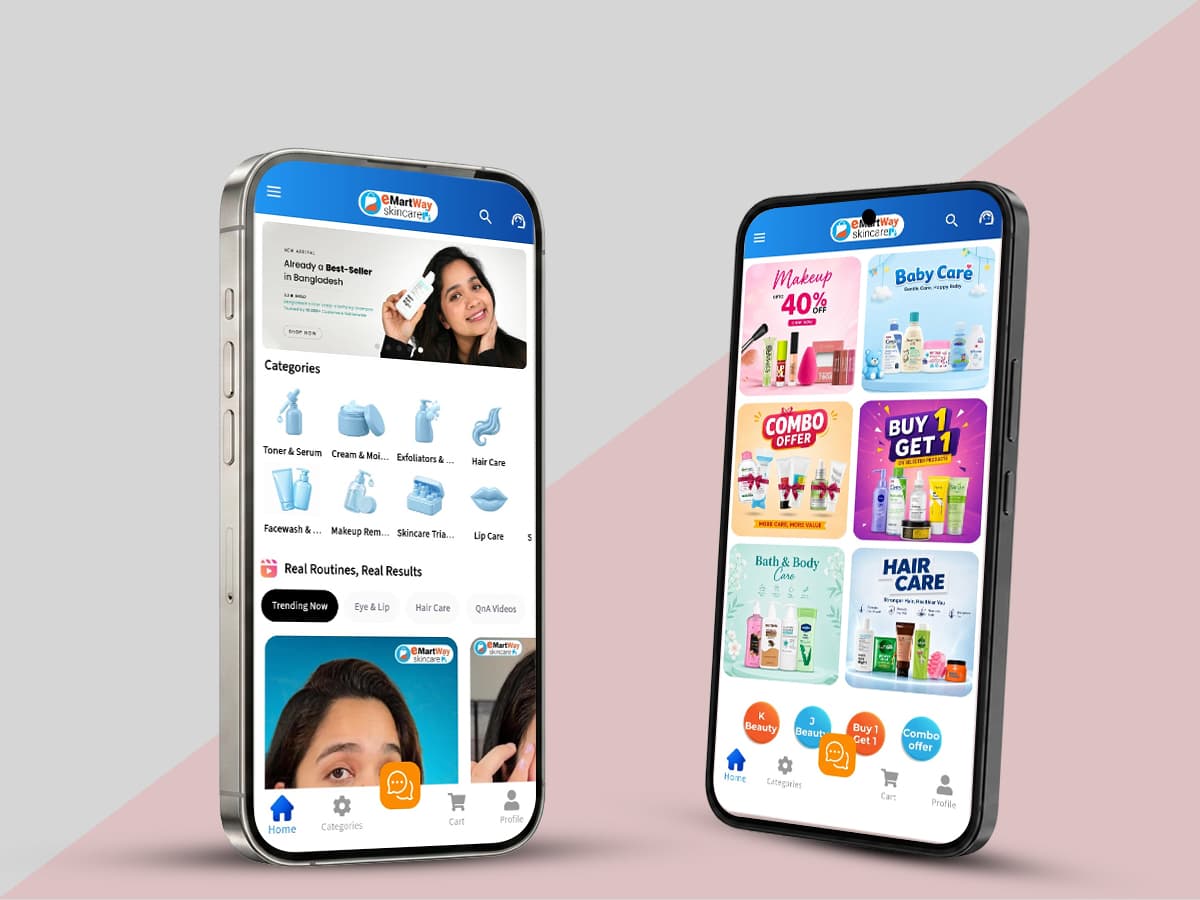
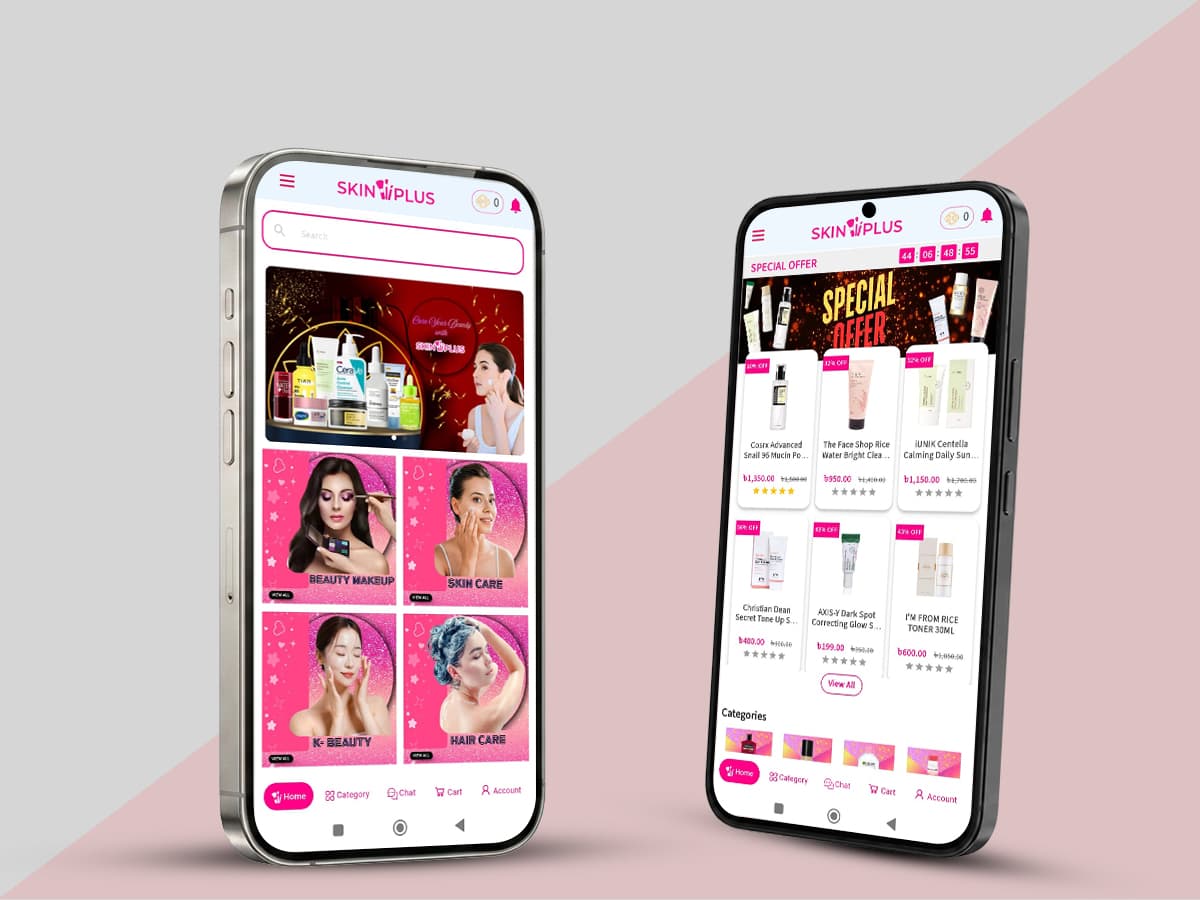
Flutter and React Native applications wired to the same catalogue, pricing and orders as your web store — so a feature ships to both stores at once instead of twice.
- Best for
- Brands with repeat customers
- Engagement
- Project, then support
- Delivery steps
- 6
What is mobile apps development?
Mobile app development delivers iOS and Android applications for a business, usually from a single cross-platform codebase. Coder71 builds them in Flutter and React Native, connected to the client's existing commerce platform so the app and the web store share one source of truth.
Instead of building separate apps for iOS and Android, modern mobile development uses a single codebase that links directly into your current business systems.
An app is a bigger commitment than a responsive site, and the honest first question is whether you need one at all. If your customers buy once a year, a well-built mobile web experience will serve them better than an install prompt they decline. If they buy monthly, the app is where the relationship lives.
When a mobile app earns its place
- Repeat purchase. Groceries, beauty refills, consumables, subscriptions. Anything with a reorder rhythm, where saved carts, saved payment and one-tap reordering remove real friction.
- Push as a channel you own. Not as a broadcast tool — as back-in-stock, order status, delivery windows and price drops on items someone actually watched.
- Field and operational users. Drivers, pickers, merchandisers, technicians. People working away from a desk, often on a poor connection, where a browser tab is genuinely the wrong tool.
- Loyalty that has to be present. A card in a wallet, a scannable code at a till, an account that opens without a login every time.
If none of those apply, we will say so. An app nobody opens is a maintenance obligation with two app store review queues attached.
Cross-platform, and why
We build in Flutter and React Native, which means one codebase produces both an iOS and an Android application. The practical effect is that a feature ships to both platforms together rather than twice, and a bug is fixed once. For commerce apps — where the hard problems are catalogue, pricing, checkout and sync rather than platform-specific rendering — that trade is almost always right.
| Approach | Choose it when | What you trade |
|---|---|---|
| Flutter or React Native | Commerce, content, accounts, ordering — most business apps | A thin platform layer for anything deeply native |
| Fully native (Swift / Kotlin) | Heavy device integration, AR, sustained background processing, demanding graphics | Two codebases, two release cycles, roughly twice the ongoing cost |
We write Swift and Kotlin too, and we use them where a genuine platform capability calls for it — including inside a cross-platform app, which is a normal and unremarkable thing to do.
Wired to one source of truth
The failure mode that ruins commerce apps is divergence: the app says one price, the website says another, and support gets both. So the app reads the same catalogue, pricing, promotions, inventory and order data as your store, through the platform's own APIs — Shopify's Storefront API, or whatever your custom platform exposes.
Carts survive a lost connection and reconcile when it comes back, because mobile networks are not desk networks. Where offline behaviour genuinely matters — a picking or delivery app, say — we design for it explicitly rather than hoping.
What we build into every app
Authentication including social and biometric sign-in. Native payment sheets, Apple Pay and Google Pay, so checkout is a thumbprint rather than a form. Push notifications with segmentation and deep links that open the right screen rather than the home tab. Analytics wired to the same events as the web store, so the two are comparable. Accessibility — dynamic type, screen reader labels, sufficient contrast — because both stores review for it and because it is right.
Release and the app stores
The part most quotes underestimate. We handle store listings, review submissions, privacy nutrition labels and data-safety declarations, staged rollouts, crash reporting and over-the-air updates where the platform permits them. Review rejections happen to everyone; the difference is whether the team has seen that rejection before and knows the fix.
Apps also decay in a way websites do not: operating system releases, SDK deprecations and store policy changes arrive on someone else's schedule. That maintenance is real and we scope it openly rather than leaving it to be discovered.
What to measure once it is live
Downloads are the metric app projects get judged on and the least useful one available. An install is a cost you have already paid for; what matters is what happens afterwards.
- Repeat purchase rate in the app against the web. The whole thesis of a commerce app is that it makes buying again easier. If that gap does not appear within a couple of months, something in the reorder flow is wrong.
- Retention at day 30 and day 90. Day-one retention flatters everything. Day 30 tells you whether the app earned its place on the home screen.
- Push opt-in rate, and revenue per notification. Opt-in is earned by asking at the right moment for a reason the customer recognises, not on first launch.
- Crash-free session rate. Below about 99.5% you are losing orders you will never see in the funnel, because the session simply ended.
We wire these up as part of the build rather than afterwards, using the same event names as the web store so the two are genuinely comparable.
Who this is for
Retail and grocery brands with a repeat-purchase rhythm. Marketplaces that need a rider, vendor or driver application alongside the customer one — the Fastmart platform is exactly this shape. B2B distributors whose buyers reorder from a warehouse floor. Service businesses whose customers book, track or manage something.
What it costs, and how long it takes
It depends on how much the app does and how much of the backend already exists. An app over a well-documented Shopify store is a different project from one that needs new APIs, new roles and an offline mode designed from scratch — and the second is where most of the effort actually sits.
Tell us what your customers would do in the app and how often. That conversation is free, and it is the one that decides whether the app is worth building at all. Talk to our mobile team.
What you actually get.
One codebase, two stores
Flutter or React Native, so a feature ships to iOS and Android together instead of twice, and a bug is fixed once.
Wired to your commerce data
The same catalogue, pricing, promotions and orders as the web store, through your platform's own APIs. One source of truth, so support never gets two answers.
Built for real networks
Carts survive a lost connection and reconcile when it returns. Where offline genuinely matters — picking, delivery — we design for it rather than hope.
Store submission handled
Listings, review submissions, privacy labels, data-safety declarations, staged rollouts and crash reporting. Rejections happen; knowing the fix is the difference.
Told when not to build one
If your customers buy once a year, mobile web will serve them better than an install prompt they decline. We would rather say that than take the project.
Included in every build.
- iOS and Android buildsFlutter or React Native, submitted to both stores and maintained.
- Commerce integrationCatalogue, pricing, inventory and orders through your platform's APIs.
- AuthenticationSocial sign-in and biometric unlock, with sessions that persist.
- Native paymentsApple Pay, Google Pay and native payment sheets at checkout.
- Push and deep linksSegmented notifications that open the right screen, not the home tab.
- Offline-tolerant cartsCarts that survive a lost connection and reconcile afterwards.
- Analytics parityThe same events as the web store, so the two are comparable.
- AccessibilityDynamic type, screen reader labels and contrast — both stores review for it.
Discovery to launch, step by step.
How long it runs depends on your catalogue, integrations and how much has to be migrated. You get a schedule with the proposal, after discovery — not before it.
Qualify
What would customers do in the app, and how often? If the answer does not justify an install, we say so before anything is scoped. Free, and the conversation that decides whether to build at all.
Define the app
The screens that matter, the platform APIs available, and what has to be built on the backend to support them. Backend gaps are named here rather than discovered mid-build.
Design for the thumb
Interface design for one-handed use on real device sizes, including the loading and offline states most designs skip. Reviewed on a device, not only in a design tool.
Build
One Flutter or React Native codebase, with test builds distributed to your team throughout via TestFlight and Play internal testing. You have the app on your own phone from early on.
Submit
Store listings, privacy labels, data-safety declarations and review submission on both platforms, then a staged rollout. We have been through both review processes many times.
Maintain
OS releases, SDK deprecations and store policy changes arrive on someone else's schedule, so ongoing maintenance is scoped openly. Crash reporting and release management included.
- Flutter
- React Native
- Swift
- Kotlin
Mobile apps development — asked and answered.
Only if your customers come back often. Groceries, beauty refills, consumables, subscriptions and anything with a reorder rhythm justify one, because saved carts, saved payment and one-tap reordering remove real friction. Field and operational users — drivers, pickers, technicians — justify one for different reasons.
If customers buy once or twice a year, a well-built mobile web experience will serve them better than an install prompt they decline.
Send a brief, get a real answer.
One paragraph is enough. A senior engineer replies within one business day with scope, risks and a timeline — not a sales call.
- A reply within one business day, from an engineer rather than an account manager.
- Scope, risks and an honest timeline — including the parts we would push back on.
- No obligation and no sales call. If we are not the right fit we will say so.
Services that pair with this.
Custom e-commerce website development
Main serviceStores built as software rather than configured from a template: Next.js or Vue.js on the front, Node.js or Laravel behind it, and a catalogue model that matches how you actually trade.
Build your store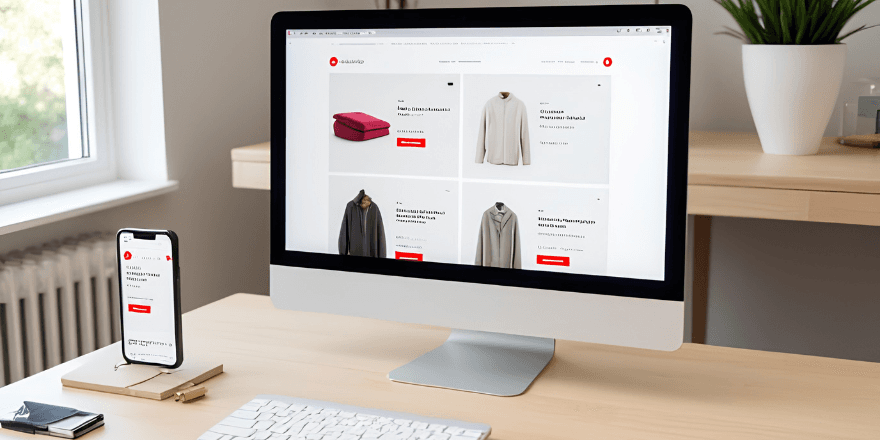
Custom software development
Ordering platforms, portals and internal systems built around how your business works, rather than around what a product allows.
Scope your system
IT staff augmentation
Senior ecommerce, backend and mobile engineers embedded in your team, on your process and overlapping your business hours.
Add engineers
Tell us the goal. We’ll scope the work.
New website, a rebuild, Shopify, a mobile app, custom software or SEO — one paragraph is enough. You get scope, risks and a timeline back within one business day, from the engineer who would build it.