
The short answer
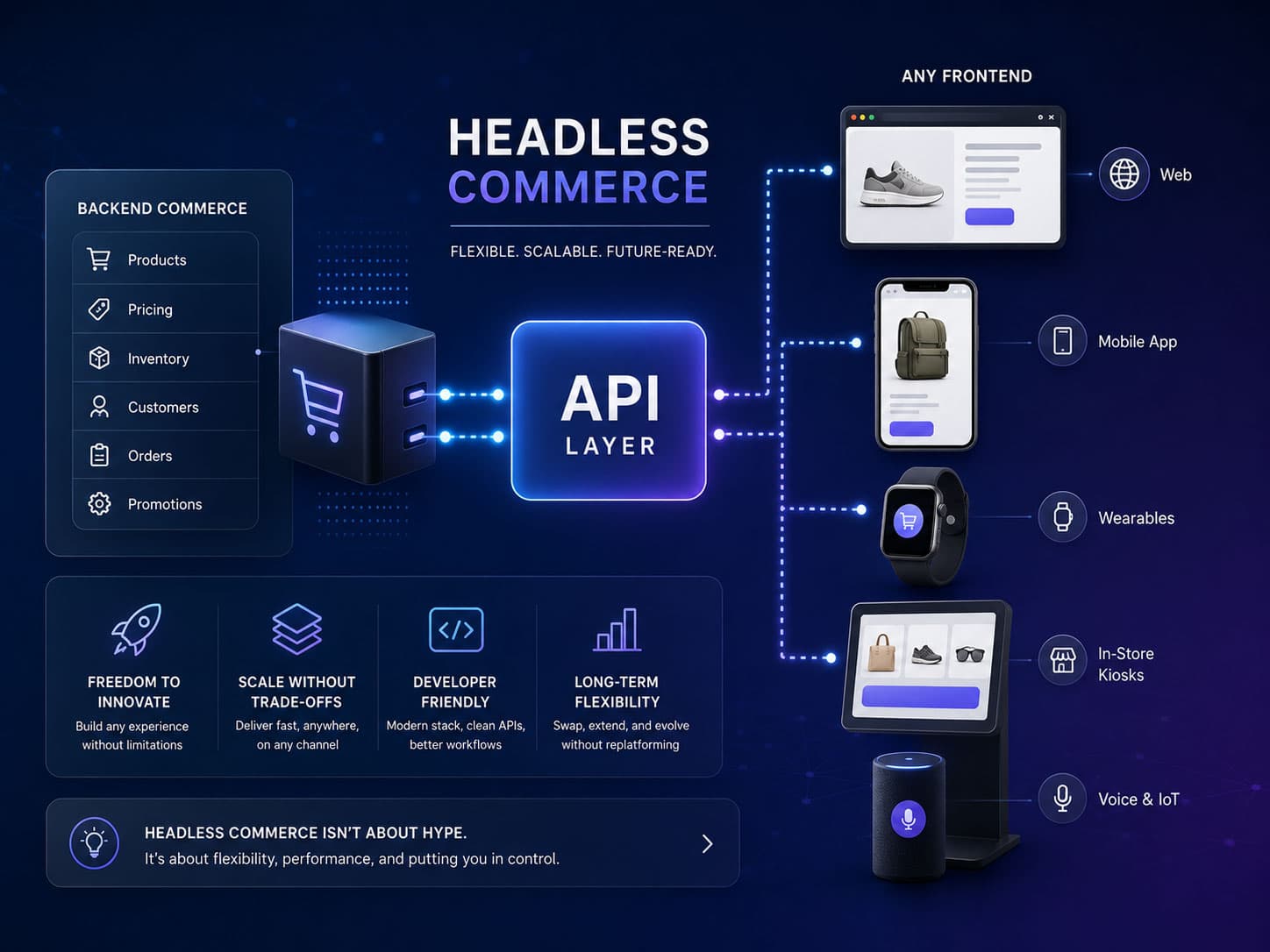
Headless commerce means the storefront is a separate application that talks to a commerce engine through APIs, instead of being rendered by it. You gain complete control over the front end and take on rendering, caching, SEO output and hosting — work the platform's theme layer was doing for free.
Headless commerce has been sold as a strict upgrade for about a decade: faster, more flexible, future-proof. It is none of those things automatically. It is an architectural trade with a clear benefit and an equally clear cost, and whether it is worth making depends entirely on which of your problems live in the front end.
This article explains what it actually is, what you give up, and the test we use to decide.
What headless actually means
In a traditional storefront, one system does everything. Shopify holds your catalogue and renders your product page; WooCommerce stores your orders and serves the HTML. The presentation layer — the "head" — is part of the commerce platform.
Headless separates them. The commerce engine keeps products, pricing, carts, orders and inventory, and exposes them through an API. A separate application renders the storefront, calling that API for data.
That is the entire idea. Everything else — composable, MACH, best-of-breed — is a description of how far you take it.
The three things people mean by it
| Architecture | What is separated | What you now own |
|---|---|---|
| Headless storefront | Only the front end. The platform keeps catalogue, cart, checkout and orders. | Rendering, routing, caching, SEO output, hosting. |
| Headless plus separate CMS | Front end and content, with commerce data from the platform. | The above, plus content modelling and two systems to keep in sync. |
| Composable / MACH | Every capability is a separate service — search, CMS, cart, payments, PIM. | The above, plus service selection, integration and an orchestration layer. |
The first row is what most successful "headless" projects actually are, and it is the one with the best ratio of benefit to cost. The third row is where projects get into trouble: each service is defensible on its own and the sum is a distributed system, with all the operational weight that implies. Composable is a legitimate architecture for a large organisation with a platform team. It is a poor default for a mid-sized retailer.
What you gain
- Complete control of the front end. No theme constraints, no template language limits, and no waiting for the platform to support a rendering pattern.
- One front end for many surfaces. Web, native app, kiosk, marketplace feed — all consuming the same API.
- Genuine content flexibility. Marketing can build pages in a proper CMS rather than in a theme's page builder.
- Independent deployment. Storefront changes ship without touching the commerce platform, and vice versa.
- Choice of rendering strategy. Static, server-rendered, streamed or incrementally regenerated, per route, according to how fresh that data has to be.
The last one is the underrated benefit. A category page whose content changes daily and a product page whose price changes hourly have genuinely different caching needs, and a theme layer gives you one answer for both. Being able to serve a category page from cache while a price renders fresh is a real advantage — when someone actually designs it.
What it costs
Every one of these was previously handled by the platform's theme layer, invisibly and for free. After decoupling they are yours, and each is a place a project can quietly go wrong.
- Rendering strategy — Somebody has to decide what is static, what is server-rendered and what is client-side — per route. Get it wrong and you either serve stale prices or hammer the commerce API on every request.
- Caching and invalidation — The hardest part, and the one most underestimated. When a price changes, what has to be purged, and how does the storefront find out? Webhook-driven invalidation is the usual answer and it is real engineering.
- SEO output — Canonicals, sitemaps, structured data, pagination, hreflang, redirects. The theme emitted all of it. Now it is application code, and it is easy to ship a headless storefront with none of it.
- Preview and staging — Merchandisers expect to see unpublished changes before they go live. With content and commerce in separate systems, preview is a feature you build, not one you get.
- Hosting, monitoring and on-call — The storefront is now an application you run. Uptime during a flash sale is your problem, including the capacity planning behind it.
- Two systems for every question — "Why is this product not showing?" now has twice as many possible answers, and debugging spans two systems and the network between them.
None of that is an argument against headless. It is an argument for being honest about what the project is: you are not buying a faster storefront, you are taking on a software system. The teams that succeed with it have engineering capacity permanently assigned. The teams that struggle treated it as a redesign with a different back end.
The speed claim, examined
"Headless is faster" is the most repeated claim and the least reliable.
Headless can be faster, because you control what ships and you can serve pre-rendered HTML from an edge cache. But a headless storefront that fetches data on the client, waterfalls three API calls before rendering a price, and loads the same marketing tags as the old theme will be slower than the theme it replaced. We have measured exactly that outcome more than once.
Meanwhile, a well-built Shopify theme is genuinely fast: Liquid renders on Shopify's servers, the HTML arrives complete, and the platform's CDN is not something you will casually beat.
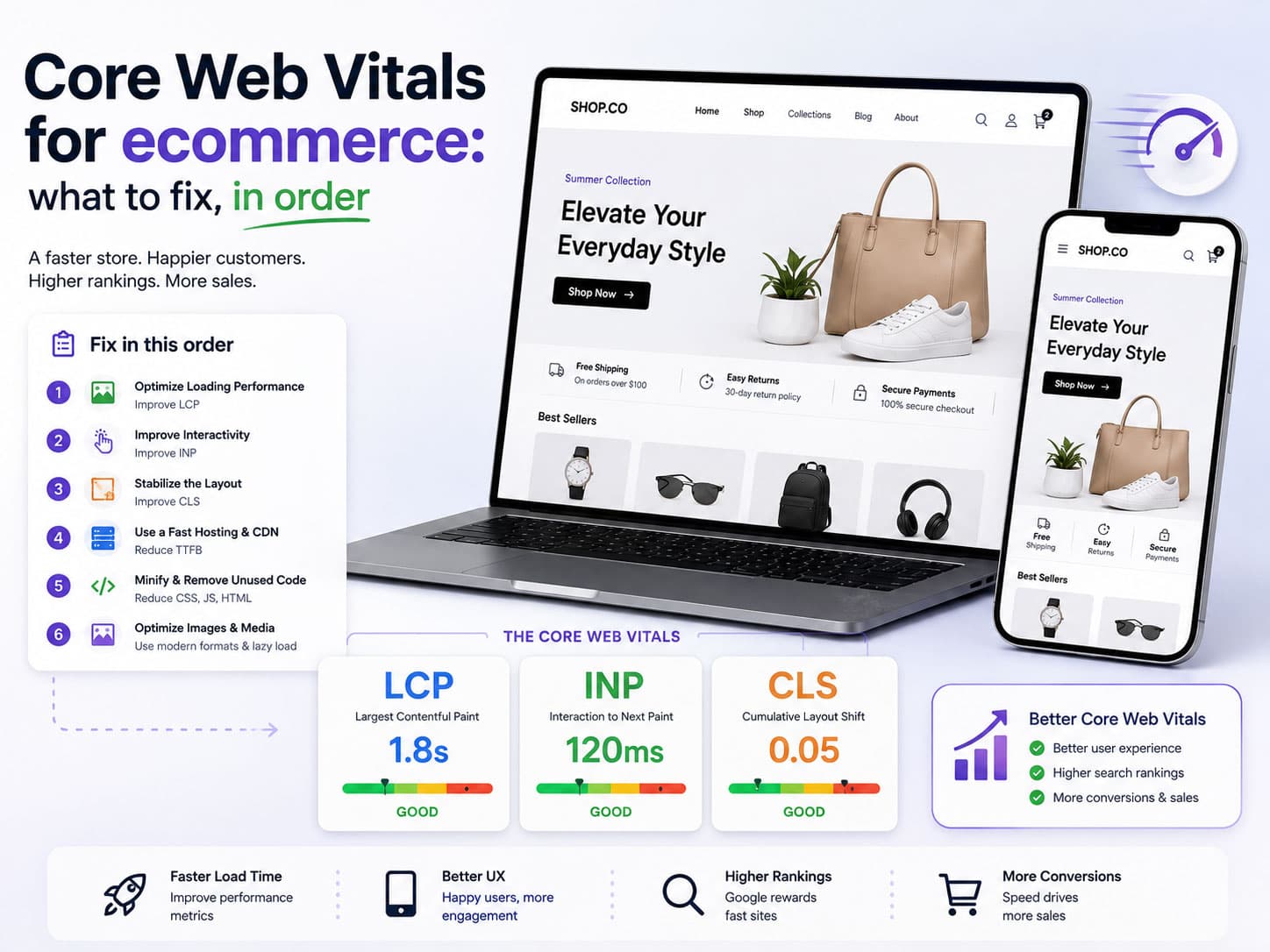
The honest version: headless removes a ceiling; it does not raise a floor. If your storefront is slow because of third-party scripts and an overloaded theme — which is the usual cause — going headless without fixing that carries the problem across. See Core Web Vitals for ecommerce for how to tell which you have.
The Shopify case specifically
Because it is the most common version of this question: yes, Shopify supports headless properly. The Storefront API exposes catalogue, cart and customer data over GraphQL, and Hydrogen is Shopify's own React framework for building against it, deployable to their Oxygen hosting.
What makes this the sweet spot of headless commerce is what you keep: checkout stays Shopify's. Payments, fraud screening, PCI scope, tax calculation and order management all remain the platform's responsibility, while you own the storefront entirely. You get most of the benefit of decoupling and almost none of the risk of owning a checkout.
You are not required to use Hydrogen — a Next.js storefront against the Storefront API is a perfectly ordinary choice, and often the right one if your team already writes Next.js. The framework matters less than whether someone owns the caching strategy.
The caching problem, in detail
This is the part that decides whether a headless build is fast or expensive, and it gets one line in most articles. It deserves more.
Every page has two properties that pull against each other: how fresh its data must be, and how expensive it is to produce. Caching is how you resolve them, and the resolution is different per route.
| Page | How fresh | Reasonable strategy |
|---|---|---|
| Homepage | Minutes | Statically generated, revalidated on a timer and on publish |
| Category listing | Minutes | Cached, invalidated when products in it change |
| Product page | Price and stock: seconds. Copy and images: hours. | Cache the page, fetch price and availability separately at request time |
| Cart and checkout | Always live | Never cached, and never statically generated |
| Search results | Live | Server-rendered per request, or delegated to a search service |
| Content pages | On publish | Static, invalidated by a CMS webhook |
The product row is the interesting one and where most implementations go wrong in one of two directions. Cache the whole page for an hour and you show a sold-out product as in stock. Render the whole page fresh on every request and you have a slow storefront hammering the commerce API.
The correct shape is to split the page by freshness: the description, images and specifications are cached, while price and availability are fetched at request time or hydrated immediately after. Modern frameworks support this directly — streaming, partial prerendering, per-fragment revalidation — and using it well is the difference between a headless build that is genuinely fast and one that is merely modern.
Invalidation is the other half. When a price changes in the commerce platform, something has to tell the storefront. That is webhook-driven cache purging, and it needs to be reliable, idempotent, and monitored — because a silently failing invalidation webhook means stale prices for as long as nobody notices. Budget for it as a real component, with alerting, not as a line in a ticket.
Choosing the commerce engine
Headless is a front-end decision; you still need something holding the commerce data. Broadly four options, with different centres of gravity.
| Option | Strongest when | Main constraint |
|---|---|---|
| Shopify Storefront API | You want checkout, payments and PCI scope to stay someone else's problem | Shopify's product model still applies |
| A headless-first commerce platform | You need commerce primitives without a front end attached | Another vendor, another contract, another model to learn |
| Open-source commerce (Medusa, Saleor, Vendure) | You want to own and extend the engine | You are now running it, including upgrades and security |
| Your own commerce layer | The data model is the reason you are here | The largest undertaking on this list by a wide margin |
The first row deserves its popularity. Keeping Shopify's checkout removes payments, fraud, tax and PCI scope from the project entirely, and those are precisely the areas where a first custom implementation is most likely to be worse than the incumbent. If your reasons for going headless are all front-end reasons, giving up the platform's checkout buys you nothing and costs a great deal.
The last row is a different project wearing the same word, and it is covered in custom ecommerce development.
Content, and the second system problem
Most headless projects add a CMS, because "marketing needs real pages" is one of the top reasons for going headless in the first place. That introduces a question with no free answer: where does a product's content live?
Some of it is unambiguous. Price, stock, SKU and variants belong to the commerce engine. Some of it is genuinely contested — long-form descriptions, lifestyle imagery, buying guides, campaign copy tied to a product.
Pick one owner per field and write it down. The failure mode is a description editable in two systems, where whichever synced last wins and nobody can explain why the copy reverted. That is not a hypothetical; it is the most common operational complaint on headless builds a year in.
The workable division we use:
- Commerce engine owns anything transactional or inventory-related, plus the canonical product identity.
- CMS owns editorial content — landing pages, guides, campaign modules, curated collections.
- The CMS references products by identifier rather than duplicating their data, so there is exactly one source for a price.
- Preview works across both, or merchandisers will not trust it and will publish blind.
The operating model matters more than the architecture
The strongest predictor of whether a headless build succeeds is not the framework or the commerce engine. It is whether somebody owns the storefront as a running system.
A theme-based store degrades gracefully when nobody is looking after it: it keeps working, it just stops improving. A headless storefront does not. Dependencies age out, a webhook fails silently, a caching assumption stops holding when the catalogue doubles, an API version is deprecated. Each needs somebody who notices.
Before committing, answer three questions honestly:
- Who deploys it? If the answer is an agency you may not be working with in two years, plan the handover now rather than discovering it later.
- Who is called when it breaks at 9pm during a sale? Somebody, with a defined path and access.
- Who owns the caching strategy? It is the single most consequential ongoing decision, and it needs a named owner rather than being distributed across whoever last touched a route.
If those three have no good answers, a well-built theme will serve you better than a headless storefront nobody is maintaining — and that is a real recommendation rather than a rhetorical one. We have made it to prospective clients more than once.
How to tell whether you need it
The test we use is a single question: where do your problems live?
Headless is the right answer when
- Your complaints are all about the storefront — design constraints, content flexibility, rendering — and the back office is fine.
- You need one commerce back end serving several front ends.
- Marketing needs a real CMS and the theme's page builder is the bottleneck.
- You have engineering capacity that will still exist in two years.
Headless is the wrong answer when
- The problem is your data model. Headless does not change what a product is — you need a different commerce layer.
- The problem is speed, and the cause is third-party scripts. Fix those first; they will follow you.
- You have no permanent engineering capacity. A headless storefront without an owner degrades quickly.
- The motivation is that headless sounds modern. That is not an architecture decision.
The first row on each side is the important pair. Headless changes how the storefront is rendered; it does not change what the commerce engine can express. Teams that adopt it hoping to fix a modelling problem end up with the same constraints and a distributed system on top.
Key takeaways
- Headless separates the storefront from the commerce engine. Everything else is a matter of degree.
- The best-value version is decoupling only the front end, keeping the platform's checkout.
- You take on rendering, caching, SEO output, preview and hosting — all previously free.
- It removes a performance ceiling; it does not fix a slow site whose problem is third-party scripts.
- It does not change your data model. If that is the problem, headless is not the answer.
- Composable is a real architecture for organisations with a platform team, and a poor default for everyone else.
We build both headless storefronts and full custom commerce platforms, and the first conversation is always which of the two the situation actually calls for. Tell us where your problems live and we will tell you honestly which one it is.
Frequently asked questions
It can be, but not automatically. Headless lets you pre-render and serve from an edge cache, which raises the ceiling on how fast a storefront can be. It also makes it easy to build something slower, by fetching data on the client and waterfalling API calls before anything renders. If your current storefront is slow because of third-party scripts, going headless carries that problem across unchanged.

The engineers, architects and strategists who build Coder71's client work — storefronts, custom software, mobile apps and the automation behind them.
10+ years building ecommerce systems · Delivery across the US · Canada · the UK · Australia · Europe and the Middle East · Builders of Fastmart · Footprint and Wallpaper71