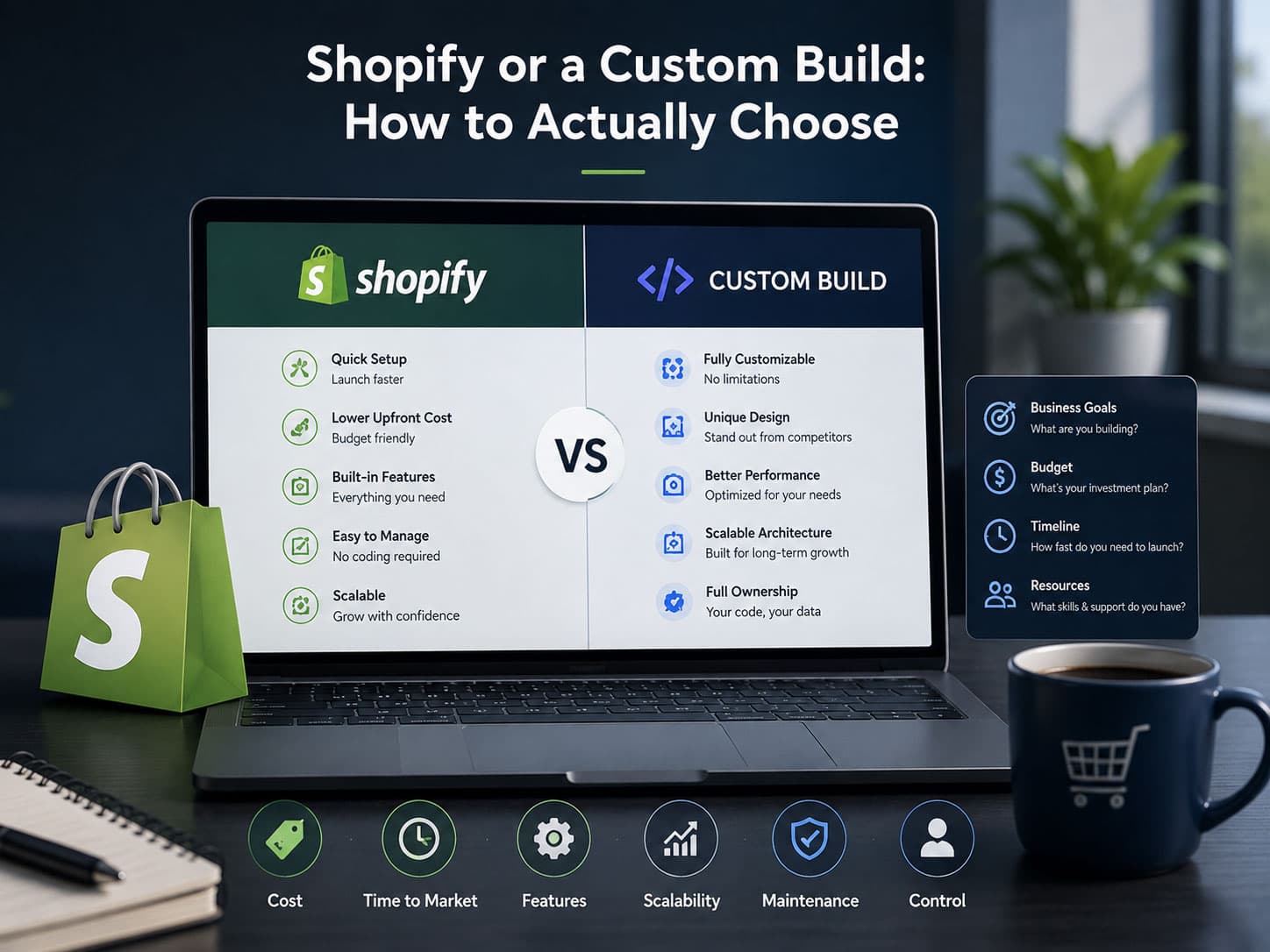

The short answer
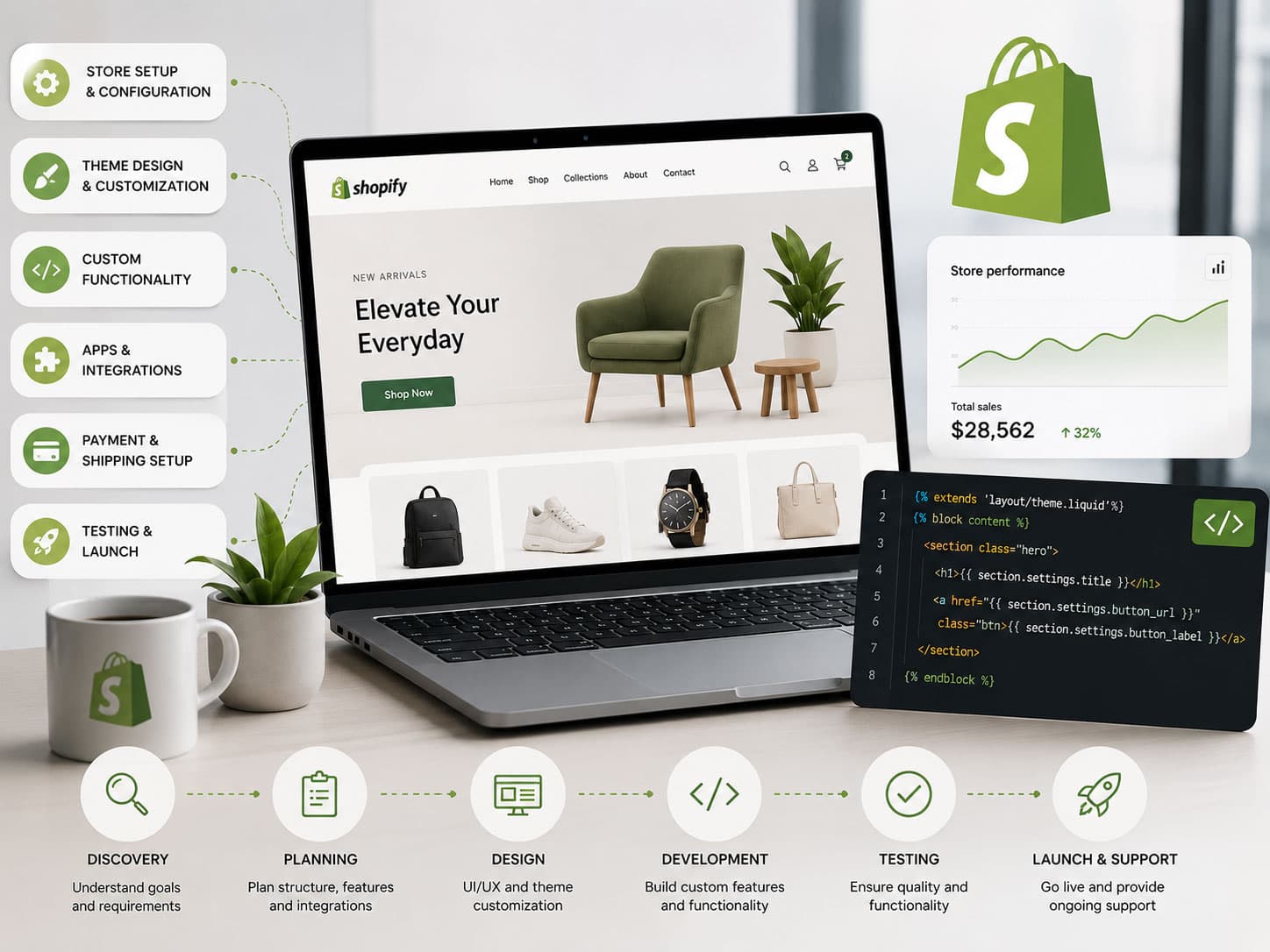
Shopify development covers four distinct kinds of work: theme development in Liquid, data modelling with metafields and metaobjects, app development against Shopify's APIs, and checkout customisation through Functions and UI extensions. Most merchant problems are solved by the first two, not by an app.
"Shopify development" describes at least four different jobs, and conflating them is how merchants end up paying for the wrong one. Changing a section layout, modelling a catalogue that does not fit products-and-variants, building a private app, and customising checkout are separate disciplines with separate risks.
This guide maps them, so you can work out which one your problem actually needs — and, in several common cases, that it needs none of them.
The four kinds of Shopify work
| Work | What it touches | Typical trigger |
|---|---|---|
| Theme development | Liquid templates, sections, blocks, theme settings, CSS and JS | The storefront needs to look or behave differently |
| Data modelling | Metafields, metaobjects, taxonomy, collection logic | Your catalogue has attributes the product model lacks |
| App development | Admin API, webhooks, embedded admin UI, background jobs | You need logic that runs outside the storefront |
| Checkout customisation | Shopify Functions, checkout UI extensions, branding API | Discounts, shipping, payment rules or checkout fields |
A useful heuristic: if the problem is how something looks, it is theme work. If it is what something is, it is data modelling. If it is when something happens, it is an app. If it is what the buyer can do at the till, it is checkout customisation.
Theme development, and what Online Store 2.0 changed
Shopify themes are built in Liquid, a template language that renders on Shopify's servers. That server-side rendering is quietly one of Shopify's biggest advantages: the HTML a crawler receives is the HTML a customer receives, with no client-rendering caveats.
Online Store 2.0 changed the architecture in a way that still surprises people migrating from older themes:
- Sections everywhere. Sections are no longer limited to the homepage — product, collection and page templates are all composed from them.
- JSON templates. A template is a manifest of sections rather than a monolithic Liquid file, so merchants reorder and configure without touching code.
- App blocks. Apps inject into a theme through defined slots instead of writing into
theme.liquid, which is what used to make app removal so destructive. - Metafield-aware settings. Section settings can bind directly to metafields, so structured data reaches the storefront without hard-coded lookups.
The practical consequence: a well-built 2.0 theme reduces how much developer work a merchant needs. If your team is filing tickets to change the order of things on a page, the theme is under-built, not the platform.
The other consequence is a performance one. Sections make it easy to add, and a page assembled from fourteen sections each pulling its own assets is slow for reasons that have nothing to do with Shopify. We cover the measurement side in Core Web Vitals for ecommerce.
Data modelling: metafields and metaobjects
This is the most under-used capability on the platform and the one that prevents the most unnecessary replatforms.
Shopify's product model is a product with variants along a limited number of option axes. Metafields extend it with typed, structured, queryable data attached to almost any resource — products, variants, collections, customers, orders. Metaobjects go further: they let you define entirely new content types with their own fields, and reference them from products.
Concretely, that means these are all solvable without leaving Shopify:
- Technical specifications rendered as a structured table rather than pasted into the description.
- Ingredient, material or compliance data that needs to be filterable.
- Size guides that differ by brand, defined once and referenced from many products.
- Care instructions, certifications and provenance as first-class content.
- Rich brand or designer entities with their own pages and their own fields.
The trap is that metafields are only as good as the discipline around them. Metafield definitions with clear types and validation are an asset; ad-hoc metafields created by four different apps under inconsistent namespaces are the same mess as tag-based modelling, one layer down. Define them deliberately, namespace them, and write down what each one is for.
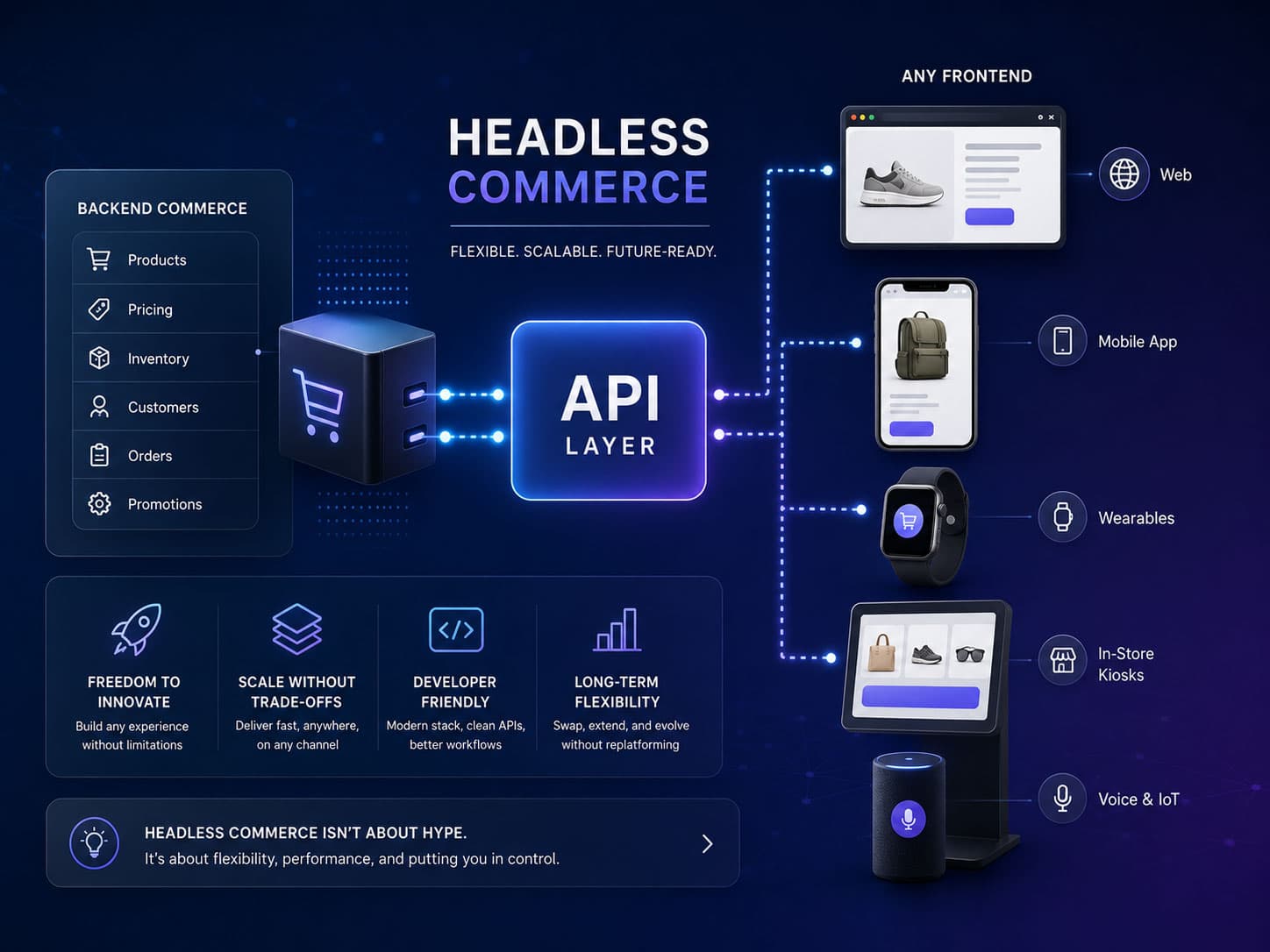
Where metafields genuinely stop working is computed pricing and non-enumerable configuration — a price that is a function rather than a number. That is where the hosted-versus-custom decision becomes real.
Apps: when to install, when to build, when to do neither
The default answer to any Shopify gap is "there's an app for that", and it is right often enough to be dangerous. Every app is a third party in your critical path, usually with its own script on your storefront and its own subscription.
A rough decision rule:
Install an app when
- The problem is generic — reviews, loyalty, email, subscriptions.
- The app is well-reviewed, actively maintained, and uses app blocks rather than writing into your theme.
- You can remove it without leaving debris behind.
- Its per-order cost is smaller than the engineering to replace it.
Build a custom app when
- The logic is specific to how your business works, so no generic app fits.
- You are stacking three apps to approximate one behaviour.
- You need a private integration with an internal system — ERP, WMS, CRM.
- The app you would otherwise use puts data you care about somewhere you cannot query it.
There is a third option people forget: do neither. A surprising number of app installs replace a piece of merchandising discipline or a Shopify Flow automation. Before adding a subscription, check whether the platform already does it — Shopify's native capability has expanded faster than most merchants' mental model of it.
Custom apps for a single store are built as private or custom apps against the Admin GraphQL API, usually with webhooks for order and inventory events. The engineering considerations there are ordinary backend ones: idempotency, retries, rate limits and reconciliation. We write about that side under custom software.
Checkout: what you can and cannot change
Checkout is the most misunderstood area, largely because the rules changed. The old approach — editing checkout.liquid — has been retired in favour of checkout extensibility, which is a genuinely better architecture even though the migration was painful for merchants who had heavily customised checkouts.
What you get now:
- Checkout UI extensions — components rendered at defined points in the checkout, for upsells, custom fields, delivery instructions or compliance notices.
- Shopify Functions — server-side logic for discounts, shipping rate customisation, payment method customisation and cart validation, running on Shopify's infrastructure.
- Branding API — programmatic control of checkout appearance.
- Post-purchase extensions — offers and content after payment, before the thank-you page.
The upside of this model is significant and often undersold: your customisations survive checkout upgrades, they cannot slow checkout down with arbitrary scripts, and they keep working when Shopify changes the underlying implementation. Under the old model, every customised checkout was a liability.
The limit is that you are extending a checkout rather than writing one. If you need a fundamentally different flow — a quote-and-approve cycle, staged payments, a mandatory account provisioning step — you are at the edge of what extension can do. That is a genuine trigger for a custom build, and one of the few that survives scrutiny.
Note that Functions and several checkout extension points are Shopify Plus features. Check the current plan requirements before designing around them.
What Shopify Plus adds, and when it is worth it
Plus is often framed as "Shopify for big stores", which is not useful for deciding. The concrete differences that change what a developer can build:
- Shopify Functions — server-side customisation of discounts, shipping rates, payment methods and cart validation. This is the big one, and it is what makes complex promotional logic possible without an app.
- Checkout UI extensions with wider scope, including more extension points in the checkout flow.
- Higher API rate limits, which matters once you have real integration volume.
- Multiple stores under one organisation, for genuinely separate markets or brands.
- B2B capabilities — company accounts, price lists, payment terms — which removed a common reason to leave the platform entirely.
- Scripts for launches and sales, and better tooling around high-traffic events.
The decision usually comes down to two questions. Do you need discount or shipping logic the standard platform cannot express — and would you otherwise be paying for several apps and still not getting it? And do you sell B2B alongside consumer, in which case the native B2B features are frequently cheaper than the alternative.
Note that plan requirements move. Check the current documentation before designing around a feature; capabilities that were Plus-only have periodically become available more widely.
Buying a theme, forking one, or building from scratch
| Approach | Suits | The real cost |
|---|---|---|
| Marketplace theme, configured | Getting live quickly with a standard catalogue | You inherit its performance and its structure; heavy customisation gets expensive fast |
| Marketplace theme, forked and extended | Most merchants, most of the time | Upstream updates stop being available once you diverge — plan for that |
| Built from scratch on Dawn or an empty base | Distinctive brands, unusual merchandising, performance-critical stores | Longer to build, and you own every component and edge case |
The middle row is where most merchants land and it carries an under-discussed cost: the moment you fork, theme updates are yours. Marketplace themes ship fixes, accessibility improvements and new sections, and none of that reaches a forked copy without a manual merge.
That is not an argument against forking — it is an argument for forking deliberately, keeping the customisation in sections and app blocks rather than scattered through core templates, and recording what was changed. The difference between a fork you can maintain and one you cannot is entirely down to that discipline.
A performance note that decides more than theme choice does: a theme is only as fast as what gets added to it. We have measured stores where the theme was excellent and the storefront was slow purely because of accumulated third-party scripts. See Core Web Vitals for ecommerce for how to tell which you have.
Automation before apps: Shopify Flow
A useful habit before installing anything: check whether Flow already does it. Shopify's native automation handles a surprising amount of what merchants buy apps for — tagging customers by behaviour, flagging orders for review, reacting to inventory thresholds, triggering internal notifications, applying rules when an order comes in.
It is not a general-purpose programming environment, and complex logic gets unwieldy in it. But for the class of "when X happens, do Y" rules that make up most operational automation, it is free, native, and does not put a script on your storefront. If Flow cannot express it, that is a decent signal you need real development rather than another app — which is where workflow automation work starts.
What to keep out of the theme
A rule that saves a great deal of pain later: the theme should render, not decide.
Business logic in Liquid is hard to test, impossible to version meaningfully, and invisible to everyone who is not looking at theme code. Specific things that should live elsewhere:
- Pricing rules. These belong in Functions or in the platform's own discount system, not in a template conditional.
- Eligibility and availability logic. If a product should not be purchasable under some condition, enforce it where the cart is validated, not where the button is rendered — a rule enforced only in the theme is a rule that can be bypassed.
- Integration credentials. Anything in theme code is public. This should be obvious and is regularly got wrong.
- Content that ought to be structured. If you are writing the same block of markup into fifteen product descriptions, that is a metaobject.
The test: if the answer to "why does this product behave differently" is somewhere in a Liquid template, it is in the wrong place.
How to brief Shopify work so you get the right thing
- Describe the outcome, not the implementation — "Customers cannot tell which size to buy and returns are high" produces better solutions than "add a size chart popup". The second forecloses on a size guide metaobject that might work better.
- Say what the data is — Half of theme requests are really data-modelling requests. If the information does not exist in a structured form yet, that is the actual first task.
- State the constraints you have — Plan level, apps you cannot remove, integrations that must keep working, and the peak trading period you must not be mid-change during.
- Ask what will be left behind — Whether the work lives in app blocks or writes into the theme, and what removing it later involves. This determines your next three years of flexibility.
- Agree what merchandisers can change afterwards — The measure of good Shopify work is how much your team can do without calling a developer again. Make that an explicit requirement.
Key takeaways
- Theme, data modelling, apps and checkout are four different jobs. Diagnose which one you need before hiring.
- Metafields and metaobjects prevent more unnecessary replatforms than any other Shopify feature — but only with naming discipline.
- Online Store 2.0 means a well-built theme reduces ongoing developer dependency. If your team files tickets to reorder a page, the theme is under-built.
- Apps are third parties in your critical path. Prefer app blocks, and check whether the platform already does it natively.
- Checkout extensibility is a better architecture than editing checkout templates — customisations now survive upgrades.
- Brief for outcomes, and make "what can we change ourselves afterwards" an explicit requirement.
If you want a second opinion on whether your problem is theme, data or platform, describe what you are running into. Our Shopify work starts with that diagnosis rather than with a build estimate.
Frequently asked questions
For layout, ordering and content changes on an Online Store 2.0 theme, no — sections and JSON templates are designed for merchants to configure directly. You need a developer when behaviour changes, when new data has to reach the storefront, or when you need something the theme's settings do not expose. If your team is filing tickets for reordering things on a page, that is a sign the theme is under-built rather than that you need more developer time.

The engineers, architects and strategists who build Coder71's client work — storefronts, custom software, mobile apps and the automation behind them.
10+ years building ecommerce systems · Delivery across the US · Canada · the UK · Australia · Europe and the Middle East · Builders of Fastmart · Footprint and Wallpaper71